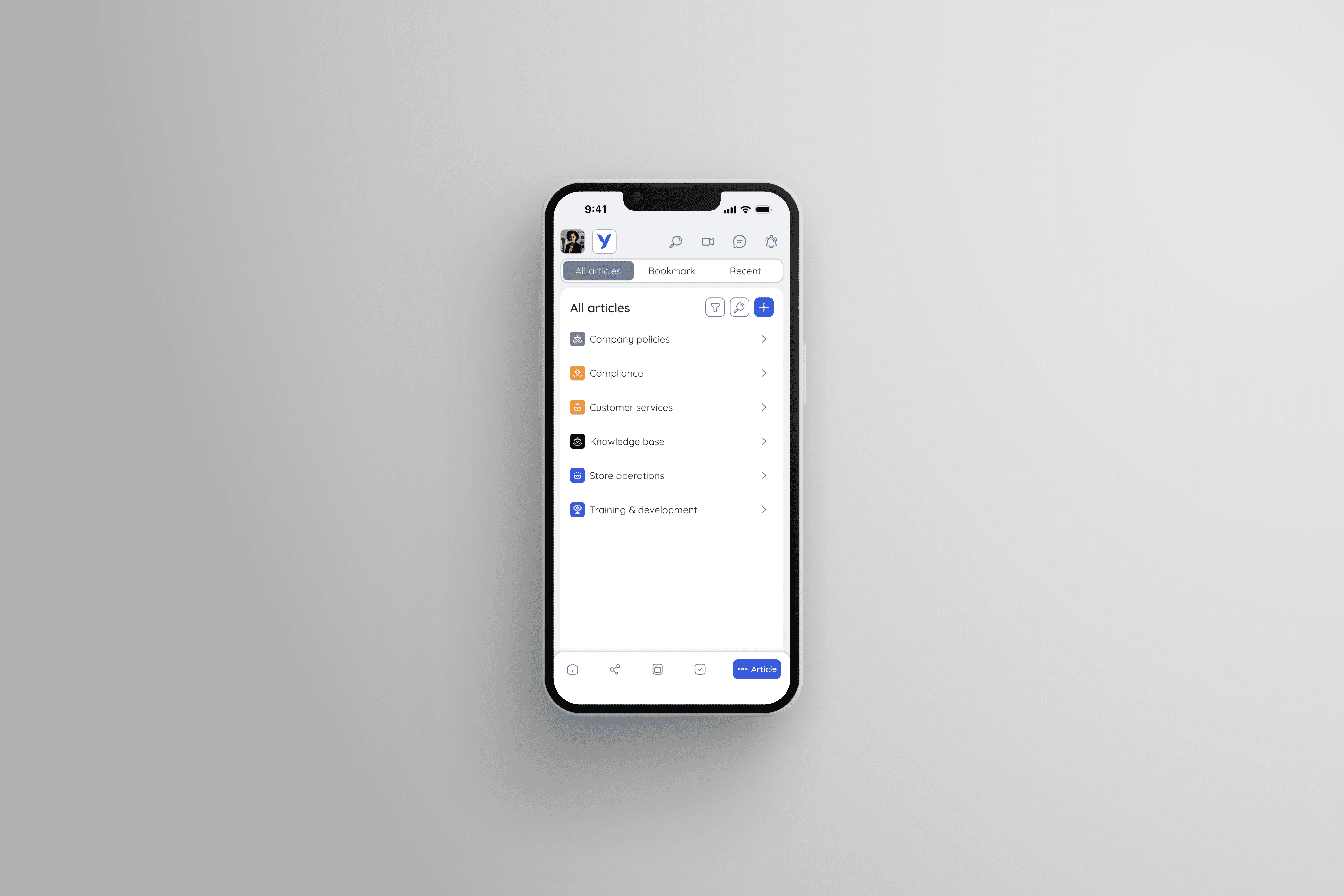
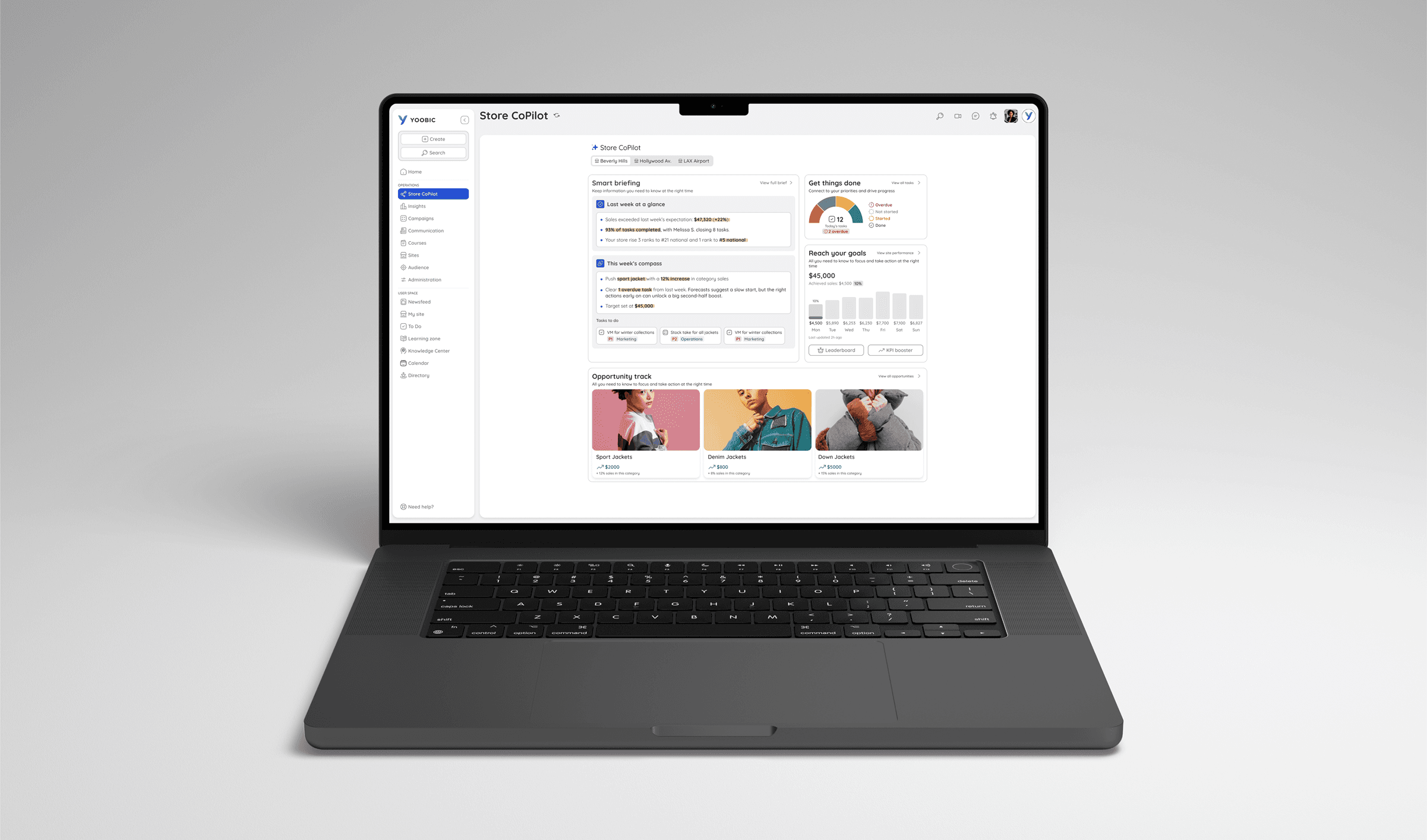
Feature Launch: AI Store CoPilot
An AI product that saves store managers 4+ hours a week by turning overwhelming data into digestible insights and trackable action plans
Role
Product Designer
Duration
January 2026 - Present
Team
Design Manager, Product Manager, Engineering Team, Customer Success
Tools
Figma, Figma Make, ChatGPT
CASE STUDY AT A GLANCE
Context
YOOBIC has long delivered value by ensuring operational excellence through top-down execution. However, in today's fast-paced, data-saturated retail environment, execution alone is not enough. True performance improvement requires each store to make the right decisions locally with speed and clarity.
Problem
Store managers were often overwhelmed by scattered data. With limited time, they struggled to analyse the data and prioritise their tasks, leading to missed sales opportunities and inconsistent execution.
Solution
We designed an AI Store CoPilot that transforms scattered data into clear insights and generates prioritised action plans.
Impact
Validated via an early bird program with 8 customers. It saves store managers 4+ hours a week and saves regional managers an average of 1 hour per site visit. It also increases action plan adoption by 26%.
DEEP DIVE INTO THE CHALLENGE AND WHY IT MATTERED
Top-down task assignment was no longer enough, frontline teams need a faster way to turn complex data into daily action.
Frontline teams are struggling to turn messy data into immediate and store-specific actions. The old platform was designed for HQ to assign tasks from the top down, but modern retail requires the agility to make fast and data-driven decisions right on the shop floor.
WHAT I OWNED AND THE VALUE I DELIVERED
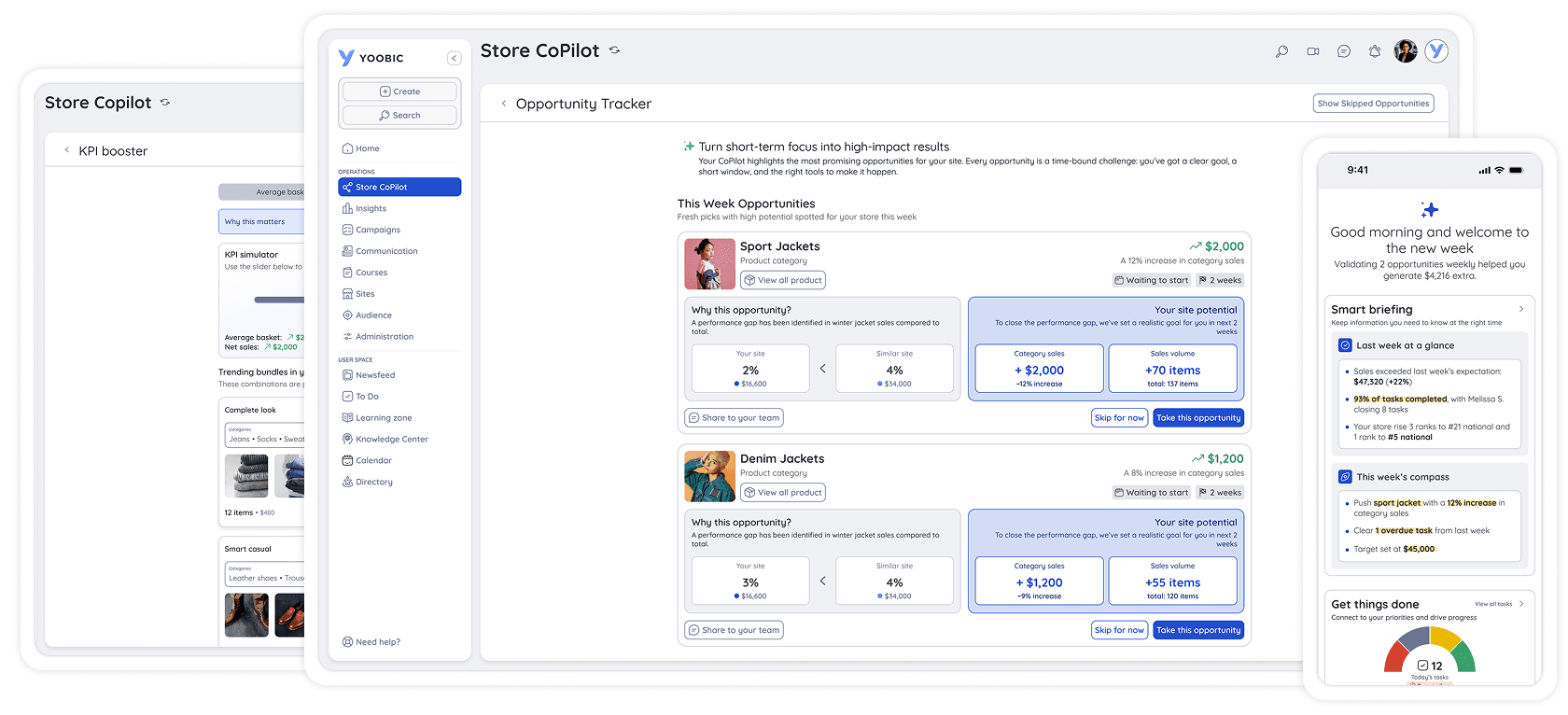
I co-framed the initial product strategy and took full ownership of the UI execution and design specifications, delivering an AI interface that saved store managers 4+ hours per week.
After collaborating with my Design Manager and Product Manager on the initial product strategy, which included aligning on business goals, users' pain points and success metrics, my focus shifted to making complex interactions feel simple and intuitive. I designed a cross-device UI that prioritised speed for store managers and provided Engineering Team with precise technical specs to ensure a smooth, high-quality handoff for our Early Bird pilot.
Overall value delivered:

Saved 1 hour per site visit

Saved 4+ hours a week in operations

26% increase in the adoption of action plans
INITIATING THE DISCOVERY PHASE
Working closely with my Design Manager, Product Manager and Customer Success, we initiated a discovery phase to understand how data overload was hurting store sales and efficiency.
While store and regional managers used our platform daily, analysing fragmented data manually took too much time. To understand this issue better, we conducted user interviews with five enterprise customers.
Objective
To uncover the daily operational realities and decision-making habits of our main target audience.
Methodology
Leveraging our customer success team's relationships, we conducted remote interviews with 10 active users across key enterprise clients.
These interviews allowed us to synthesise our findings into two primary personas, creating a clear strategic foundation for my design decisions:

Emma Dixon, 33
Store Manager at a nationwide clothing retailer
"Half the time, I look at the dashboard and think, 'Okay, I know the numbers are dropping, but what do you actually want me to do with this?'"
Goal
Hit daily sales target, keep the shop floor running smoothly and complete HQ assigned missions
Frustration
Faces severe data overload and struggles to prioritise in a fast-paced reactive environment
Needs
A tool that does the heavy lifting (analysing complex retail data) and translate insights into action

Shannon Murphy, 47
Regional Manager at a nationwide clothing retailer
"I manage 15 different stores. I don't have the bandwidth to dig through 15 different spreadsheets just to figure out who needs my help the most this week."
Goal
Ensure consistent execution and alignment with business goals across all 15 store locations.
Frustration
Lack of control over store-level decisions without being physically present on site
Needs
A tool that tells me who needs my help the most this week and allows me to track performance of different sites easily
Our user interviews revealed three critical pain points our design needed to solve:
Data overload
Managers receive overwhelming amounts of raw data but lack the time to analyse it, resulting in missed sales opportunities.
Prioritisation struggles
Store managers focus on urgency over importance, leading to a feeling of chaos.
HQ blind spots
Regional managers lack the time to analyse complex data across multiple stores, obscuring true performance and causing missed opportunities.
DEFINING THE DESIGN PRINCIPLES
To solve users' struggles, we leveraged AI not to build smarter charts or a chatbot, but to drive immediate shop-floor action.
While integrating AI was a major business mandate, we knew a generic chatbot wouldn't solve our users' core struggles. The true goal was completely removing the cognitive load of manual data analysis. By letting AI handle the heavy lifting, we could empower managers to focus on high-level strategy and capitalise on sales opportunities. To translate this high-level vision into a product that thrives in a chaotic retail environment, we established four core principles to guide our design process:

Lead with actionable insights

Designed for busy shop floors

Build trust through transparency

Facilitate local decision-making
BUILDING THE MVP
To align my design scope with engineering capacity, we mapped features against an impact-vs-effort matrix to prioritise our "Big Bets" for launch
After brainstorming potential features to be included in the MVP, I collaborated with the PM on an impact-vs-effort matrix to keep our scope focused.
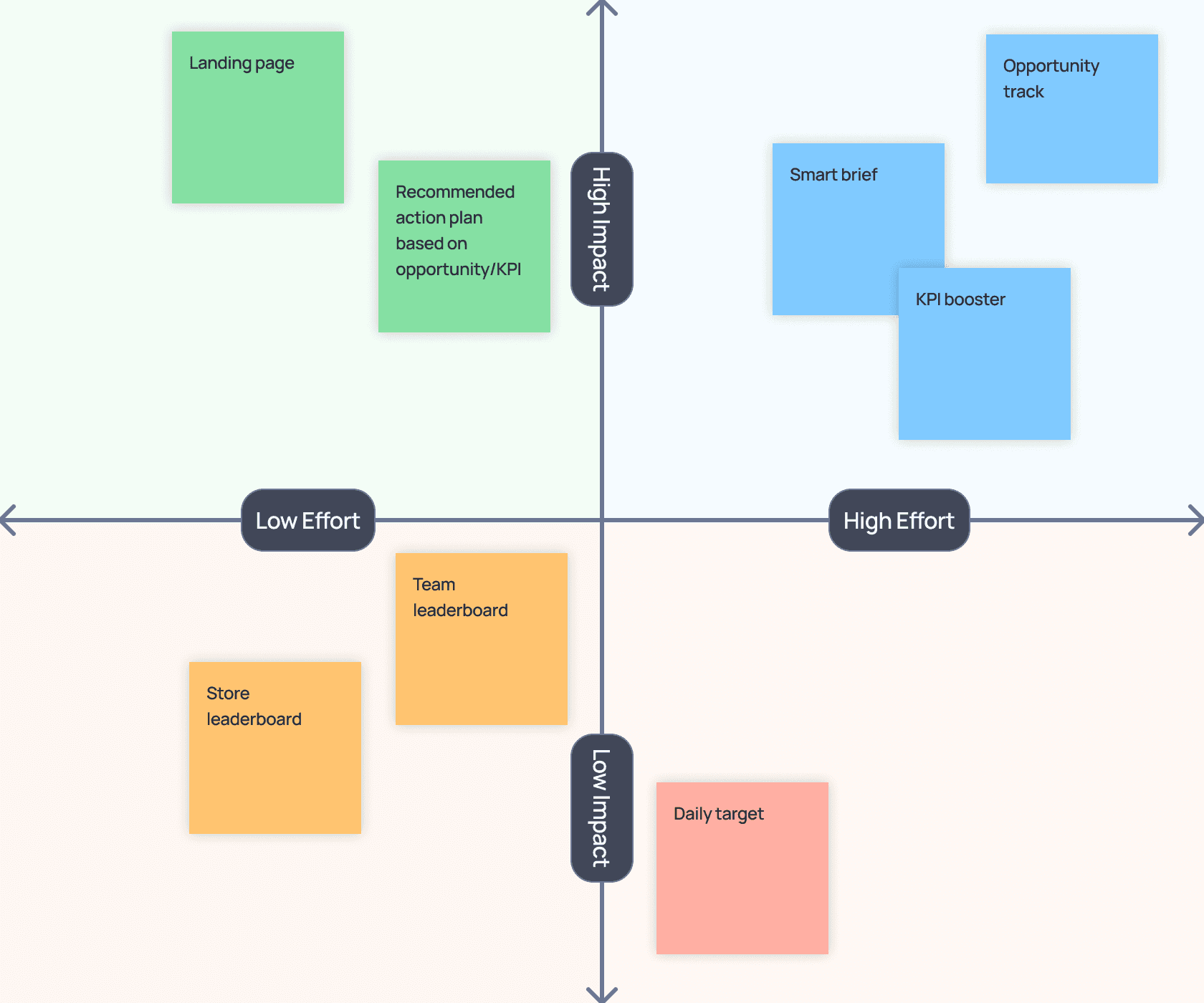
Guided by our design principles, we prioritised three core features for our MVP in the Early Bird pilot:
Foundation
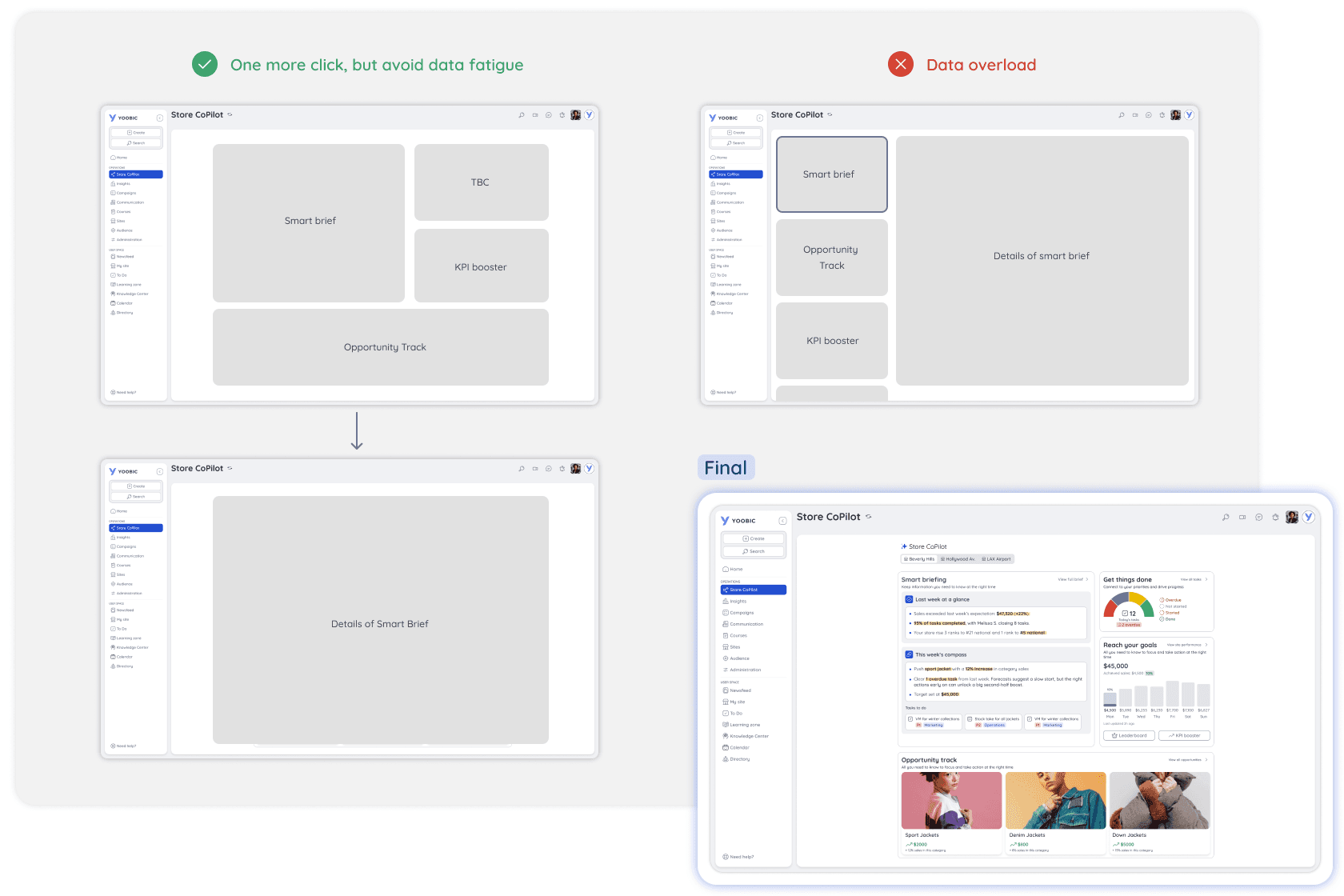
My first idea for the landing page was a side-by-side layout showing widgets (like Smart Brief and Opportunity Track) on the left and their full details on the right. However, I quickly realised that packing all this data onto one screen would just overwhelm our managers even more. Therefore, I separated the widgets from the details. Although this added one extra click, it made the main dashboard much easier to read at a glance and reduced data fatigue.
Smart Brief - "Big bet"
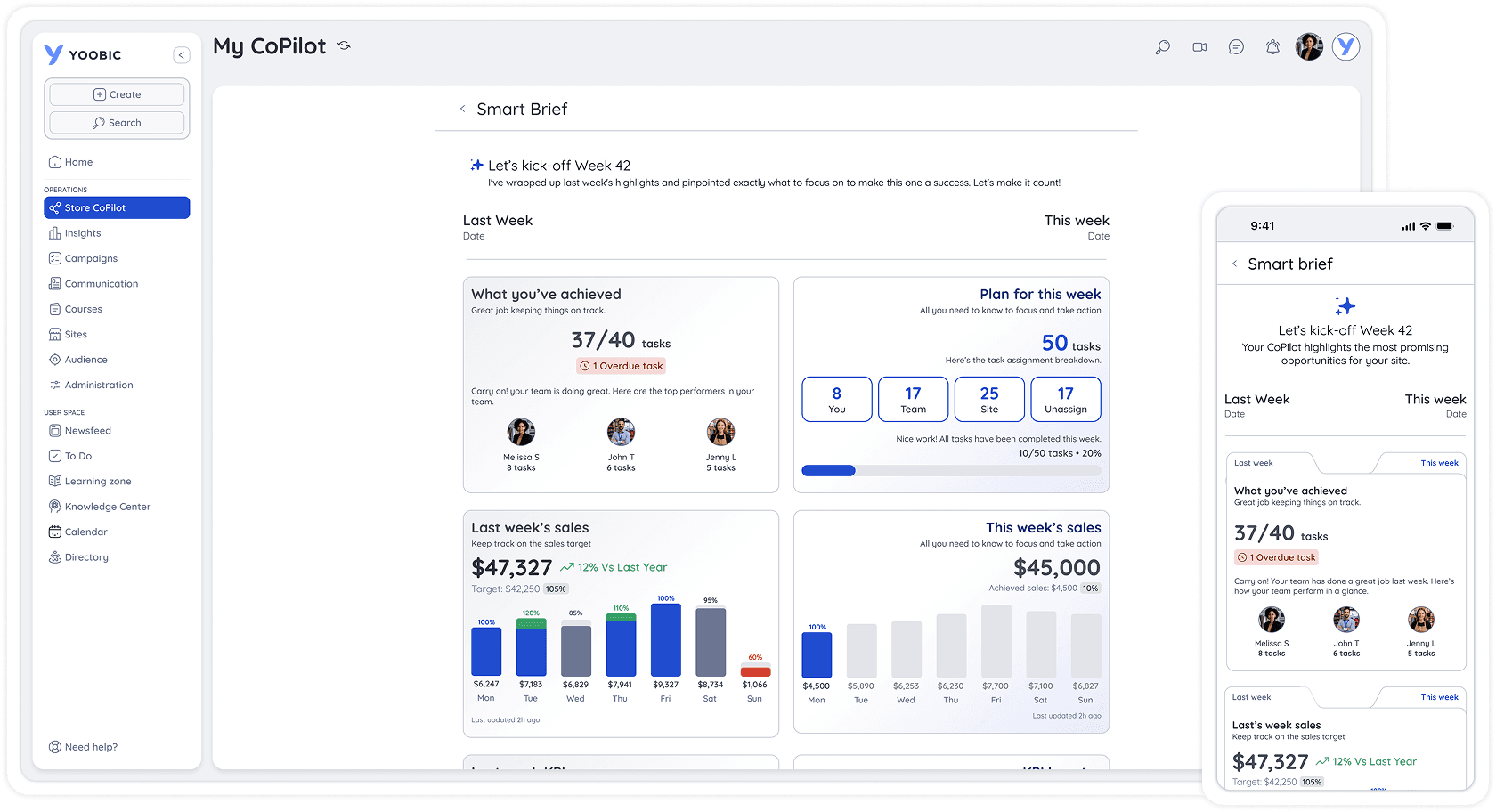
Instead of making managers dig through raw data, this AI-generated briefing highlights key store metrics in seconds by pairing a quick AI summary with clean, visual metric cards. Since managers usually check their phones while walking the shop floor, the mobile UI needed to be fast and easy to navigate. I designed a folder-tab layout so they can quickly switch between "Last Week" and "This Week" views. This simple interaction saves valuable screen space and keeps the most important numbers just a tap away.
Opportunity Track - "Big bet"
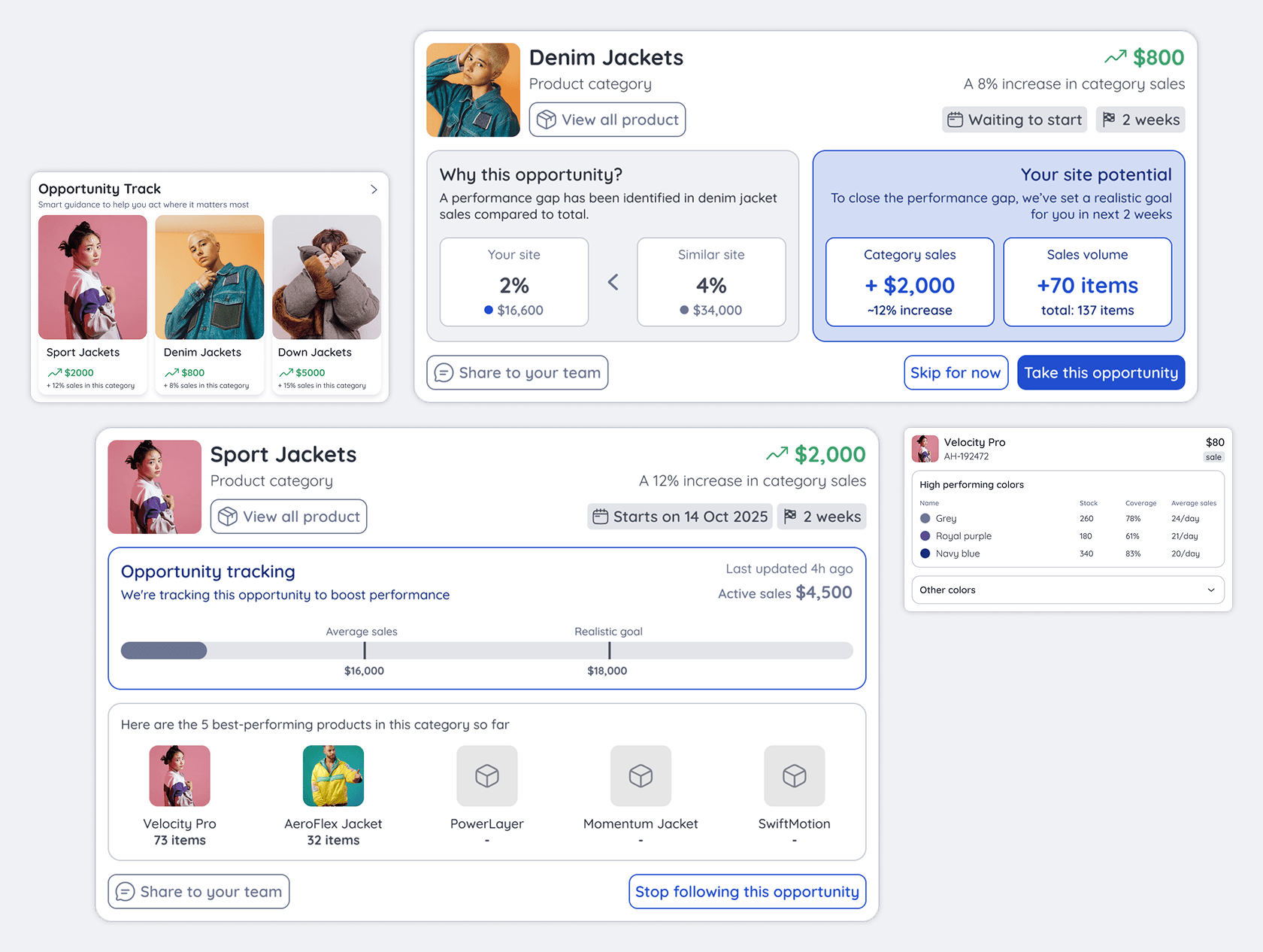
This feature surfaces AI-identified sales opportunities to help managers close performance gaps. Because we knew users wouldn't just accept AI suggestions without context, I included a "Why this opportunity?" section. It simply compares their store's data to similar locations to show exactly where the recommendation came from. Giving managers this context builds trust. Once they decide to take the opportunity, a clear progress bar makes it easy to track their active sales against their new target.
RAPID PROTOTYPING FOR A CROSS DEVICE ECOSYSTEM
I used rapid prototyping to validate the cross-device workflow, ensure a quicker engineering handoff and accelerate our time-to-market.
Our research showed that managers rarely sit at a desk throughout the day, making it essential to validate a seamless cross-device workflow. Using Figma Make, I rapidly built high-fidelity interactive prototypes to test the flows early. This lean approach kept stakeholders aligned, streamlined the engineering handoff and significantly reduced our time to the Early Bird release.
EARLY BIRD ROLLOUT & BUSINESS IMPACT
To build user trust and validate the AI with real data, we launched an Early Bird pilot with 8 customers. The new AI features drove immediate business impact and had minimal UX friction.
Deploying generative AI to the frontline is a massive trust challenge. Because traditional usability testing with fake data cannot measure actual user reliance on AI, we shifted our strategy to a live pilot. We invited 8 enterprise customers to test our cross-device UX using their own live store data. Within the first month, we tracked three core KPIs:
4+ hours saved for store managers in operations
By replacing manual data analysis with AI-generated summaries and action plans, managers reclaimed a half-day per week to focus directly on shop-floor execution.
1+ hour saved for regional managers during site visits
With remote, transparent visibility into store-level tasks, regional leaders no longer had to play detective upon arrival. They spent their site visits actively coaching instead.
26% increase in the adoption of action plans
By automatically translating complex analytics into clear, one-click prioritized tasks, the CoPilot removed decision-paralysis and drove immediate, measurable frontline execution.
ITERATING FORWARD
The pilot's success built strong user trust and generated immediate requests for forward-looking features that now shape our roadmap
Because of the success of the Early Bird pilot, our customers trusted the AI enough to immediately ask for more advanced features. Rather than guessing what to build next, our product roadmap is now driven directly by their feedback.
Our upcoming sprints focus on two major requests:
Store traffic forecasting
Predicting expected store traffic, so managers can proactively adjust staffing before a rush hits.
Team performance analysis
Identifying individual staff strengths to optimise task delegation on the shop floor.
REFLECTION AND TAKEAWAY
Bringing AI to the frontline completely shifted my approach to product design and validation.
Designing an AI-driven product from the ground up for the first time taught me that traditional design methods need to adapt. Relying on static Figma mockups with placeholder text wasn't enough; we had to test with real, complex store data early in the pilot, otherwise the AI's insights felt completely detached from reality. I also realised that a clean interface isn't enough if users don't trust the technology. By building transparency directly into the UI, I learned that showing managers why an AI made a suggestion is just as important as the recommendation itself.
Other projects at Yoobic
Discover how I tackle complex enterprise challenges and scale design solutions across different product areas